Product Update: Welcome page, IP Restrictions, MCP Server, and CLI
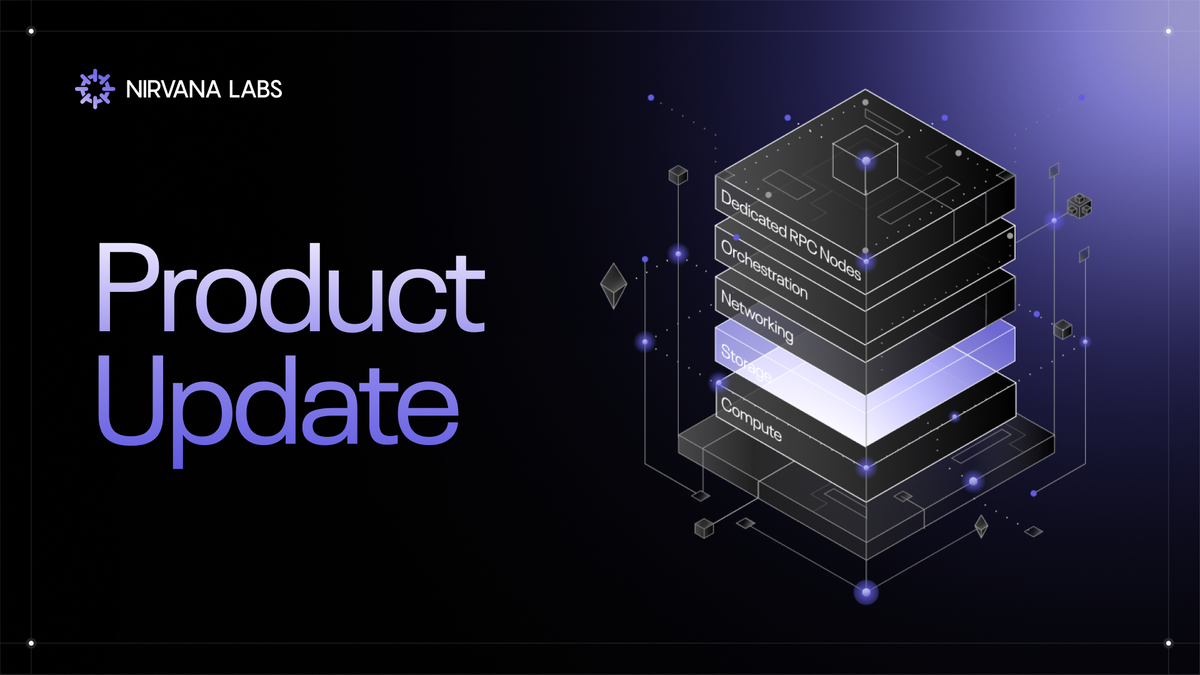
Faster onboarding, tighter security, and expanded developer access.
This release introduces updates across the Nirvana control plane that streamline onboarding, strengthen security, and expand developer access.
What’s New
1. New Welcome Page
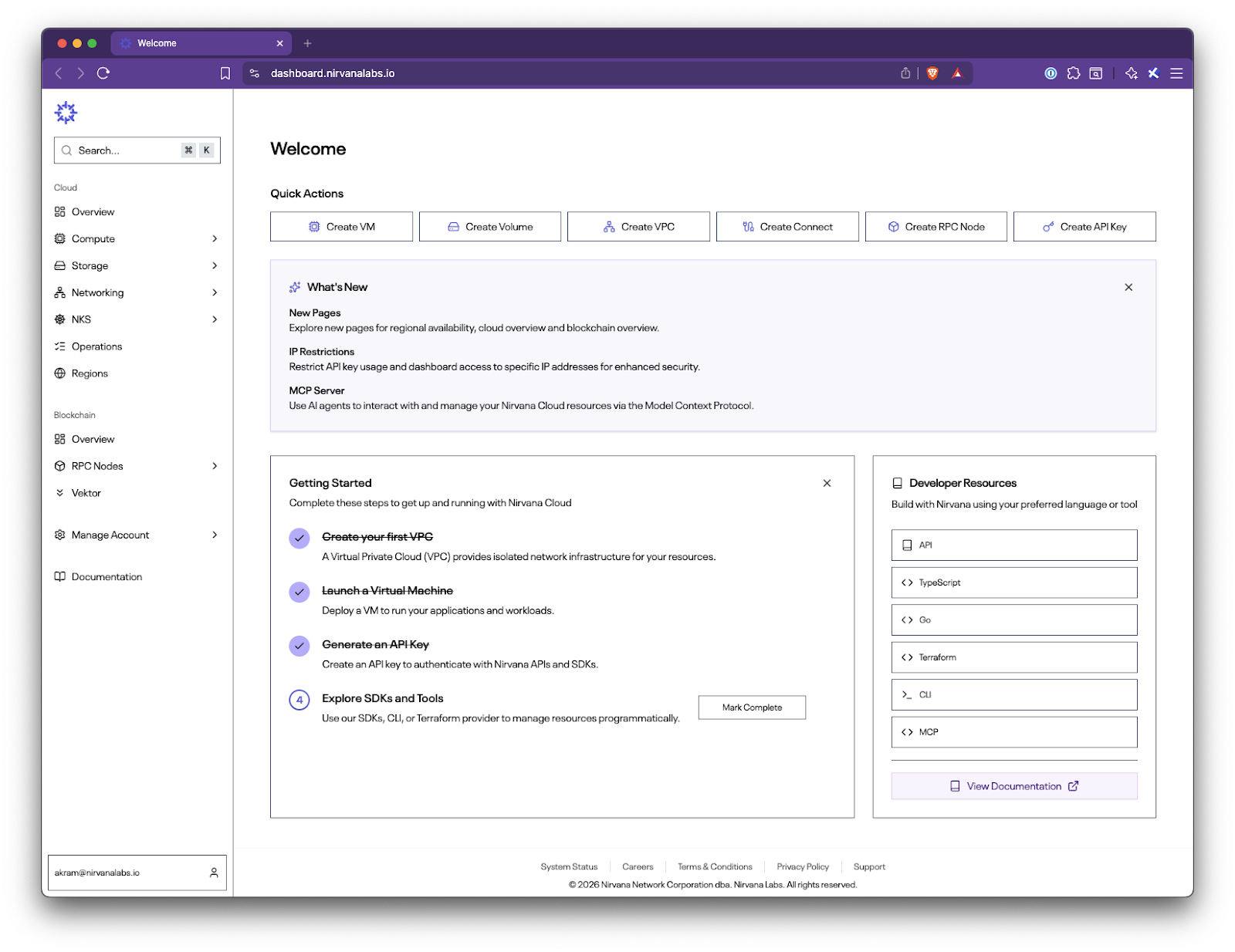
After logging in, you will now be taken to a dedicated Welcome page designed to orient quickly and make the control plane easier to navigate from day one.
The page includes:
- Getting started tasks
- SDK and documentation links
- What’s new notes
- Quick Actions for common workflows such as VMs, volumes, VPCs, RPC nodes, and API keys
2. Overview Pages (Cloud and Blockchain)
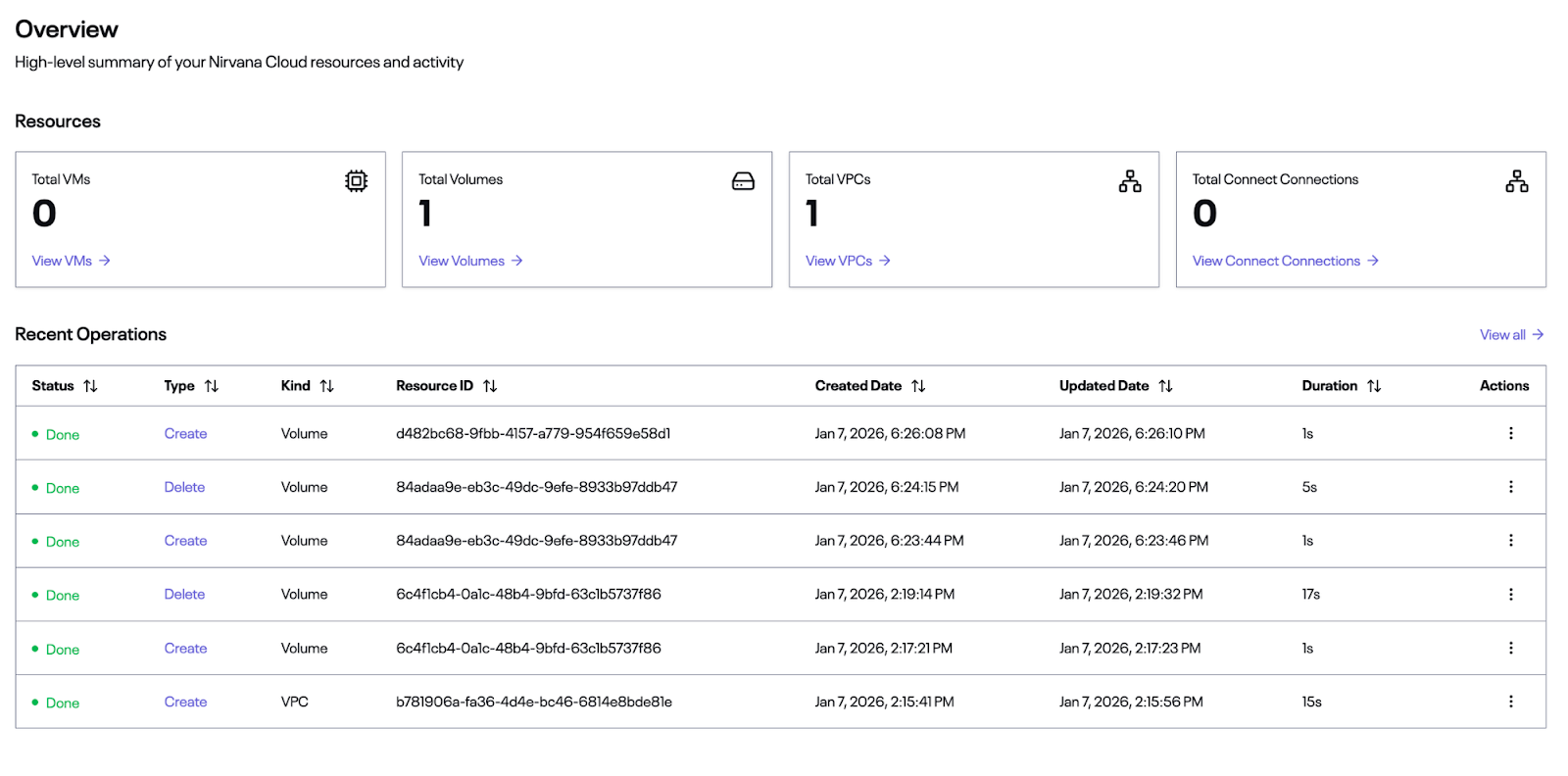
Cloud and Blockchain sections now each have an Overview page that summarizes active resources at a glance.
3. Dashboard IP Filtering
We've rolled out Dashboard IP Filtering under Manage Account → Security.
This works similarly to API Key Filtering where you can define allowed and/or blocked IPs
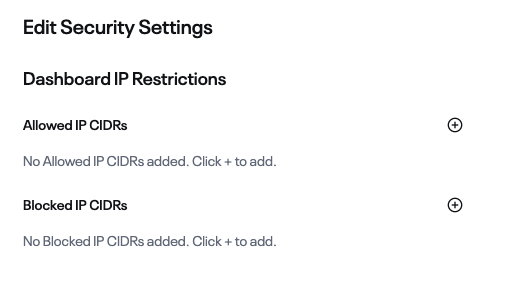
You can define:
- Allowed IP CIDRs
- Blocked IP CIDRs
Because these settings can lock you out, confirmation steps are required.
4. MCP Server
We now provide an MCP server that can be run locally to connect AI agents directly to the Nirvana API.
Setup instructions are available through the NPM package and GitHub repository.
5. Nirvana CLI
A new Nirvana CLI is now available, allowing you to manage resources directly from your terminal.
Example:
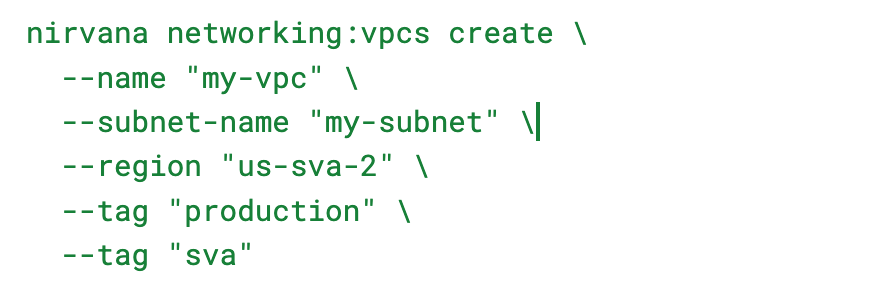
Before using the CLI, export your API key:

6. API Key IP Filtering
API keys now support source IP restrictions like the Dashboard.
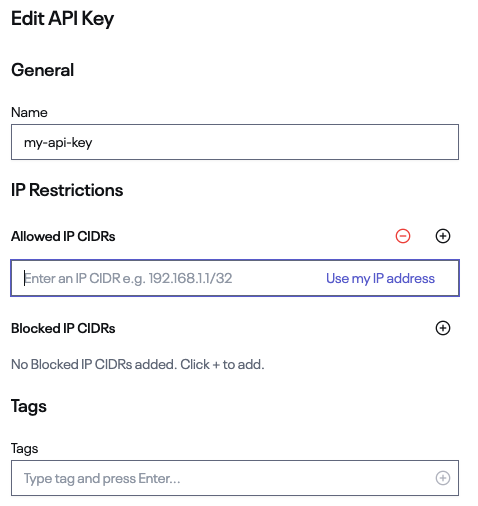
You can define:
- Allowed IP CIDRs
- Blocked IP CIDRs
It enables tighter production security and scoped API access without requiring additional proxy or network layers.
Together, these changes move Nirvana closer to a control plane that scales cleanly from first deploy to production infrastructure.
Let us know how this release works for you, and if there are features or workflows you’d like to see next.
Nirvana Labs: The Performance Cloud for Web3.
Learn more:
Nirvana Cloud | Node | Blog | Docs | Twitter | Telegram | LinkedIn